
Automation
Automated WP updates you can trust
Update plugins, themes, and core with uptime checks, reporting, and rollback safety.

Save time with one-click automatic site updates
Join over 65,000 WordPress professionals who use our built-in updates manager for fast, easy, and safe site updating.

How it works
Update with complete confidence
Site backup created
A site backup is created which you can easily revert to if needed.
Pre-update screen
A screenshot is taken of your homepage and up to five other pages.
Update begins
The auto update starts for your selected sites, plugins, and themes.
Uptime & error check
A thorough check is run to ensure your site is up and error-free.
Post-update screen
New screenshots are taken of your site and compared with the originals.
Email report
You receive an email alerting you of any notable changes or downtime.
Effortless & flexible update management
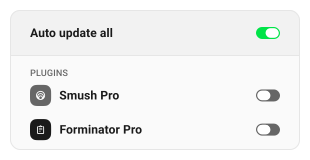
Auto update all
Save hours by putting all of your site updates on autopilot.
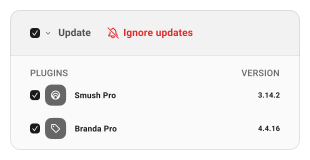
Ignore updates
Take complete control and ignore selected auto updates anytime.
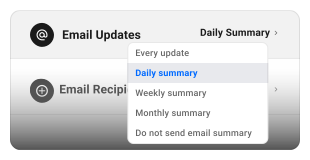
Reports & activity
Regular update reports and logs keep you up to speed at all times.
Features
Safe check & alerts
Find out ASAP if your site is down or changed.
Automatic or manual
Schedule to suit or one-click update whenever you like.
Ignore auto updates
So you can prepare for critical updates first.
Visual change detection
Before & after screens so nothing is missed.
Built-in backup
A fail-safe you can roll back to instantly.
Reports & activity
Track all your updates with reports and logs.